One-click Export Engine, automatic invoice & serial-number intelligence, and an always-current MIS dashboard — built directly on top of your existing Tally ERP 9 / Tally Prime data.
Every business running on Tally eventually builds the same manual habit: export a report, open Excel, clean it up, cross-check quantities, and rebuild an MIS view by hand — every single week. Tally ERP Solution replaces that entire manual loop with one click.
It connects to Tally's own XML/HTTP export gateway, pulls the reports you already rely on, cleans and cross-checks them, and hands you back a ready-to-use workbook and dashboard — without changing anything inside Tally itself.
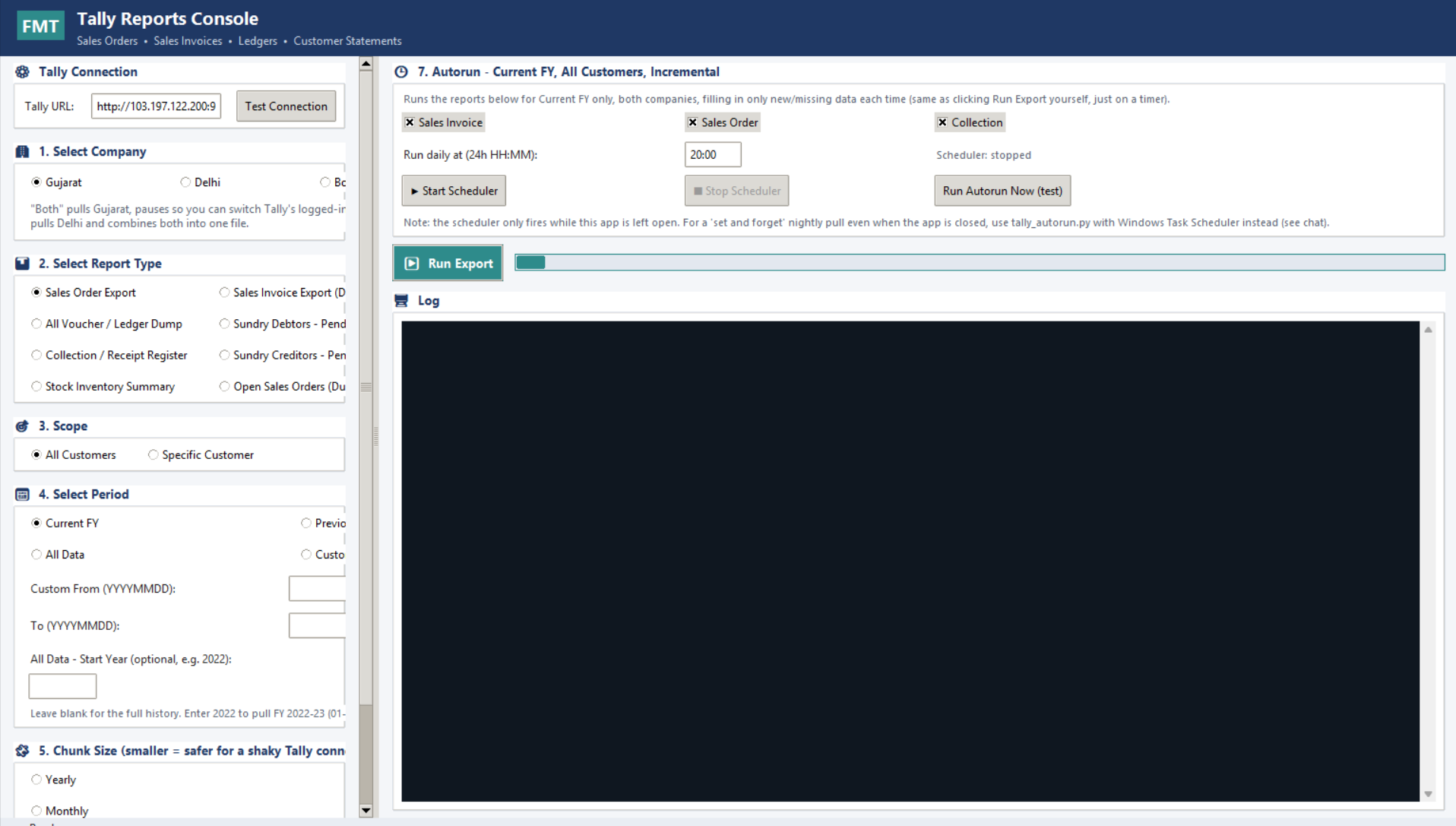
Pulls Sales, Purchase, Stock, Ledgers, Outstanding and more — 8+ report types — straight from Tally in one run, for a single company or combined across companies.
Automatically extracts serial numbers from invoice line items across multiple product types — correctly separated by type, even when several are on the same line.
Flags exactly which serial type and invoice don't add up to the billed quantity — so mismatches get caught before dispatch, not after a customer complaint.
A ready-to-read management dashboard generated automatically from the same export — no separate rebuild required every reporting cycle.
Reports come out in a layout your accountant or auditor can use directly for GST reconciliation and filing support.
Every export is saved as a normal Excel file on your own machine — easy to back up, archive, or share the way you already do today.
Owners, accounts teams, and MIS/reporting staff at any Tally ERP 9 or Tally Prime business — single company or multi-company, single-user or multi-user Tally setups.
Ledger, outstanding and payment reports, cleaned and export-ready.
Stock summaries and movement reports without manual reformatting.
Sales invoice exports structured for GST reconciliation.
A management-ready dashboard generated on every run.
The Export Engine talks directly to your local Tally installation and writes its output as a normal Excel file on your own PC. There is no intermediate cloud upload of your company data — only your account, license and update information are handled online.
Tally ERP 9 or Tally Prime with the XML/HTTP export gateway enabled (standard on both).
A Windows 10/11 desktop or laptop on the same network as your Tally installation.
Microsoft Excel (or any .xlsx-compatible viewer) to open the generated reports.
Full pricing details are on our Pricing page — every plan includes the Export Engine, Invoice & Serial Intelligence, and the MIS Dashboard.
View Pricing PlansNo. It only reads data through Tally's own export gateway — it never writes back into your Tally company.
Yes — you can run a single company or a combined export across multiple companies in one go.
The serial-number extraction is built to handle real-world messiness — missing spaces, mixed labels, and ranges — and is continuously refined against real invoice data.